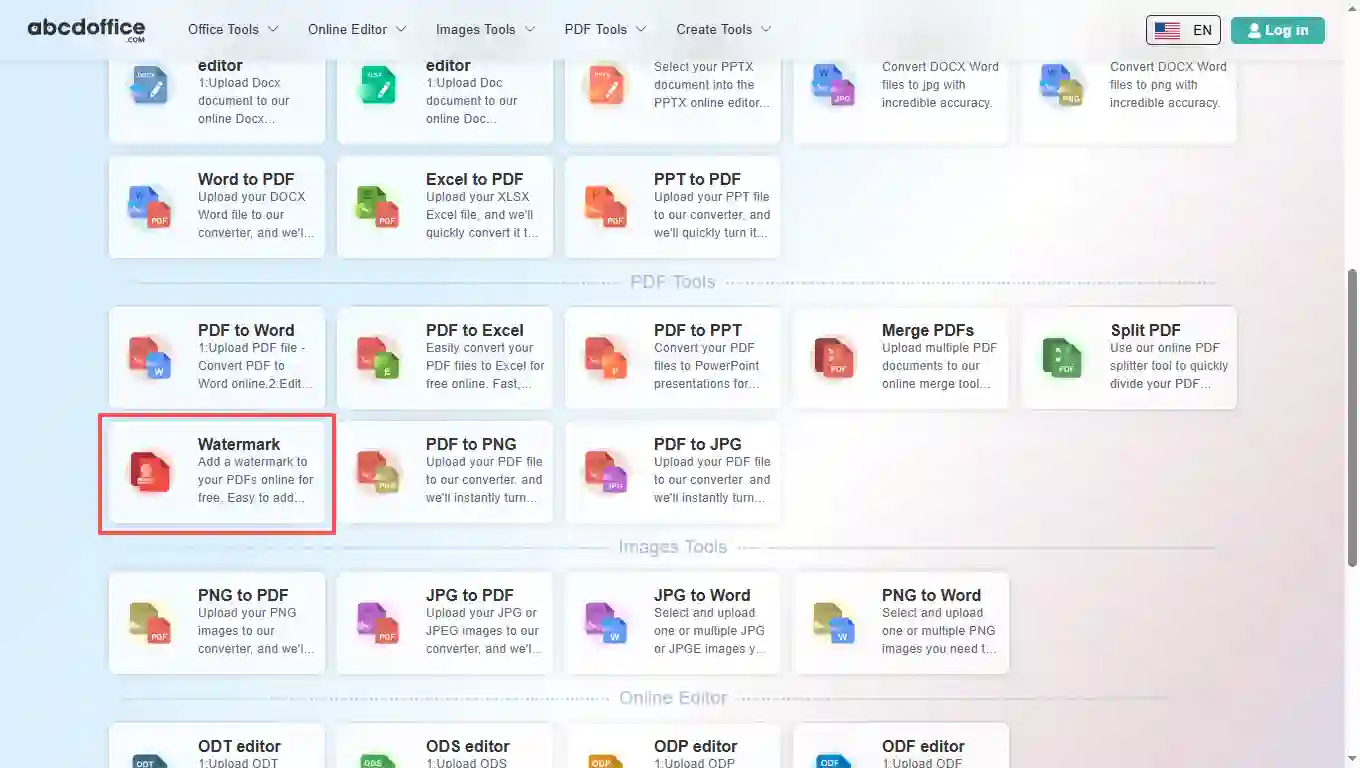
Open abcdoffice.com in your browser. On the homepage tools grid, click Watermark under Online Editor or PDF Tools — or go directly to abcdoffice.com/watermark-pdf.html to open this watermark pdf online tool page.
ABCD Office stamps PDFs in your browser — upload on abcdoffice.com/watermark-pdf.html, set text or image watermark options, apply, and download without Adobe Acrobat.
Works with PDF on abcdoffice.com/watermark-pdf.html — standard PDF documents.
Configure options in the page UI, click Convert on abcdoffice.com — no desktop Acrobat install for typical tasks.
Download watermarked PDF ready to share or continue in other abcdoffice.com PDF tools.
Free online PDF tool on desktop or mobile at abcdoffice.com.
abcdoffice.com/watermark-pdf.html is the PDF watermark page — upload PDF, configure watermark text or placement, click Convert, download stamped file.
You need DRAFT or CONFIDENTIAL on internal PDFs, or a logo on shared decks — and want watermark pdf online without desktop software.
Open abcdoffice.com in your browser. On the homepage tools grid, click Watermark under Online Editor or PDF Tools — or go directly to abcdoffice.com/watermark-pdf.html to open this watermark pdf online tool page.
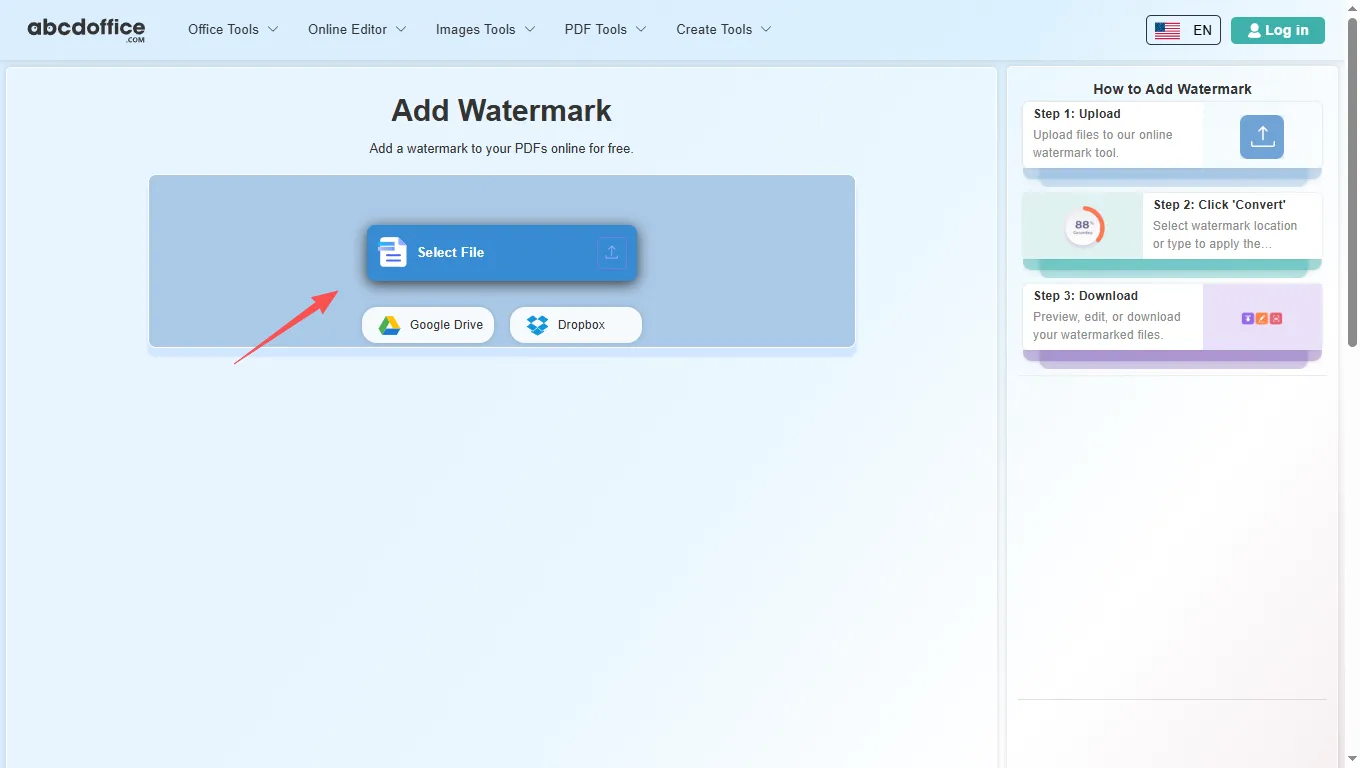
On the upload screen at abcdoffice.com/watermark-pdf.html, click Select File or drag your PDF file into the upload area. Google Drive and Dropbox buttons appear below Select File on abcdoffice.com.
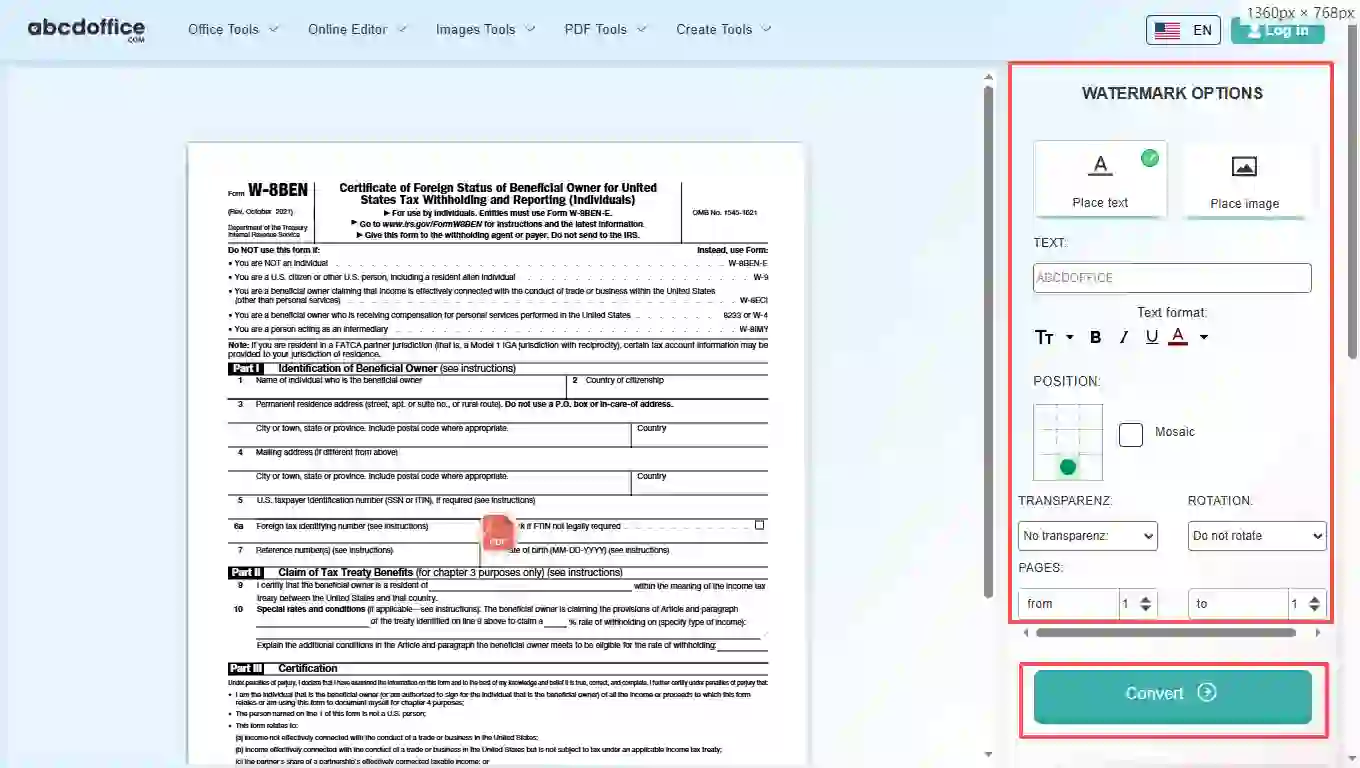
Type watermark text or upload a watermark image, adjust position and style, then click Convert on abcdoffice.com to apply it to your PDF.
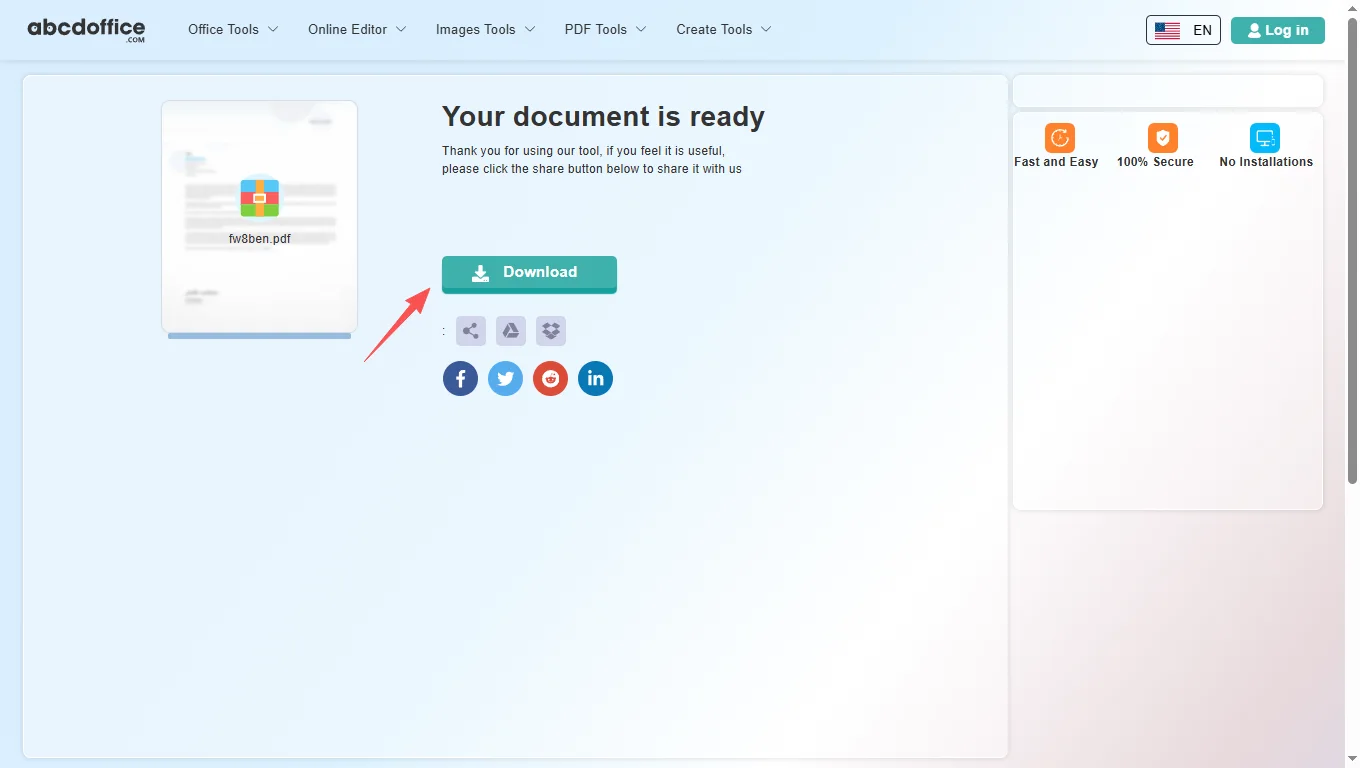
When processing finishes, abcdoffice.com shows a download screen. Click Download to save the watermarked PDF to your computer from this free watermark pdf online tool.
How pdf watermark works, text vs image stamps, and vs desktop tools — for add watermark to pdf, watermark pdf online, and stamp pdf searches.
A PDF watermark tool overlays text or a stamp on every page (or selected areas) in your browser. Upload on abcdoffice.com, configure, convert, and download the marked PDF.
Choose watermark location and style in the tool before Convert. For image logos, follow the on-page options on watermark-pdf.html.
Need to edit content after stamping? Use online-pdf-editor.html on abcdoffice.com.
Teams mark draft contracts before client send. Teachers stamp homework PDFs. Marketing adds brand watermarks to previews. The watermark pdf online workflow fits quick stamping.
Acrobat watermark tools offer advanced batch and opacity controls. ABCD Office targets fast add watermark to pdf online at abcdoffice.com.
Review the privacy policy before watermarking confidential PDFs on abcdoffice.com.
See how abcdoffice.com/watermark-pdf.html compares on steps, install time, and time to finished watermarked PDF.
| Method | Typical steps | Install required | Time to finish |
|---|---|---|---|
| abcdoffice.com watermark-pdf.html | 3–5 steps | None | ~1–2 minutes |
| Desktop Acrobat watermark | Many steps | Often yes | Longer |
| Manual workarounds | Varies | Sometimes | Much longer |
Guides for add watermark to pdf and watermark pdf online free — start at abcdoffice.com/watermark-pdf.html.
Add text watermark on watermark-pdf.html before sharing unfinished policies.
Upload PDF to watermarkPlace a repeating watermark across pages of legal or HR PDFs.
Upload PDF to watermarkUpload a small PNG logo as a watermark on client-facing drafts.
Upload PDF to watermarkMark preview PDFs so recipients know they are not final signed copies.
Upload PDF to watermarkTune watermark strength so body text stays readable under the stamp.
Upload PDF to watermarkMerge PDFs first, then watermark the combined file once for consistency.
Upload PDF to watermarkAnswers about watermark PDF — steps include abcdoffice.com/watermark-pdf.html.
Use watermark-pdf.html — upload PDF, set watermark, Convert, Download.
The tool on abcdoffice.com/watermark-pdf.html runs in your browser.
Yes — standard tasks on watermark-pdf.html without signup.
Upload on watermark-pdf.html, enter text, pick position, Convert, Download.
Yes — use watermark pdf online to mark drafts before wider distribution.
watermark-pdf.html adds a stamp overlay; online-pdf-editor.html changes document content.
Review the privacy policy before uploading sensitive files.
Yes — open watermark-pdf.html in a mobile browser.
Upload PDF at abcdoffice.com/watermark-pdf.html — add watermark to PDF online free, then Download.