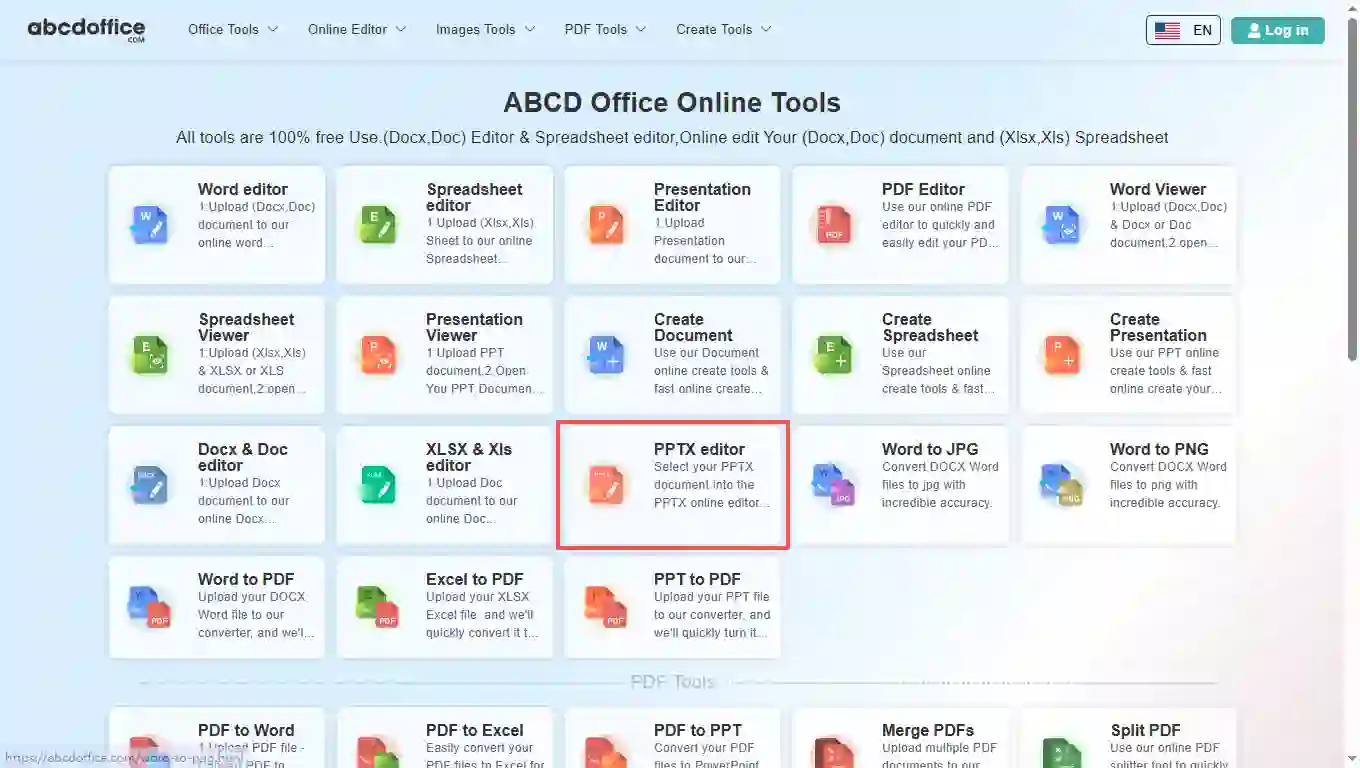
Open abcdoffice.com in your browser. On the homepage tools grid, click PPTX editor under Online Editor or PDF Tools — or go directly to abcdoffice.com/pptx-editor.html to open this online pptx editor page.
abcdoffice.com/pptx-editor.html is the pptx editor online page — upload .pptx or .ppt decks, change slides in your browser, then export without Microsoft PowerPoint.
Designed for .pptx pitch decks, training slides, and webinar files. Legacy .ppt uploads use the same pptx editor online flow on abcdoffice.com.
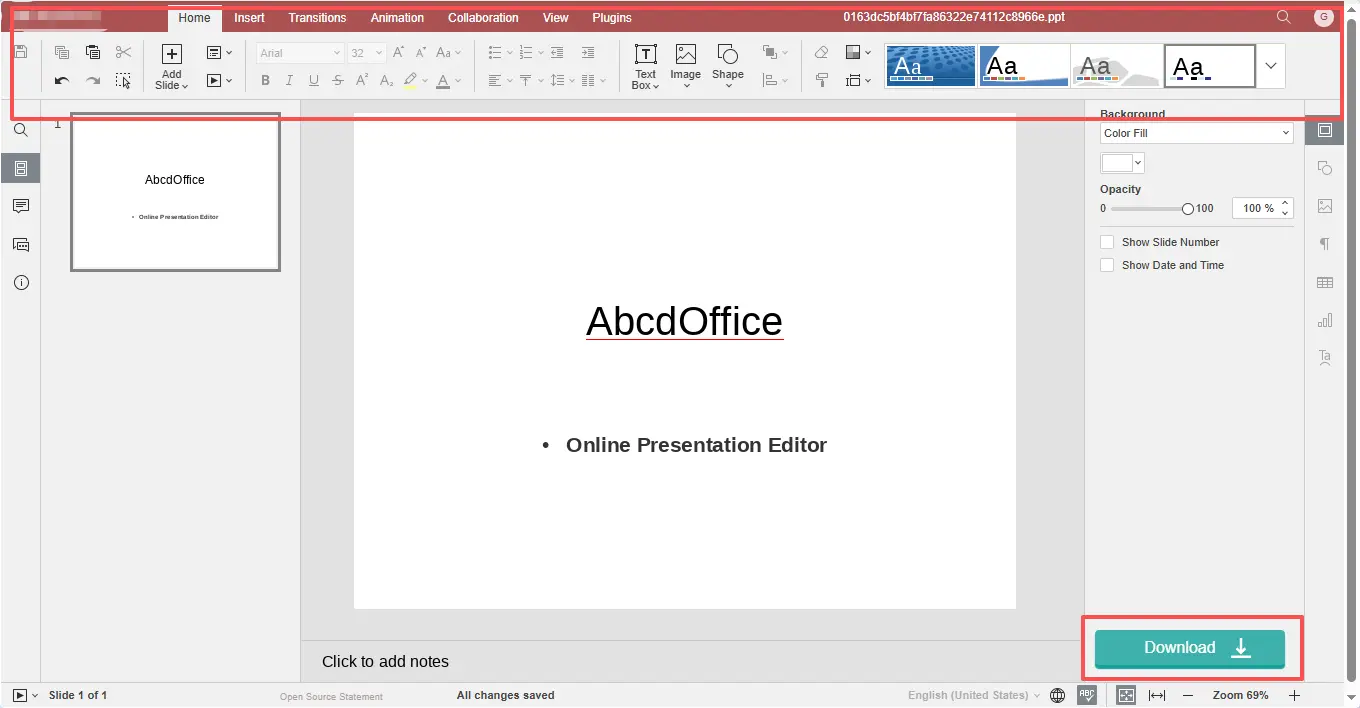
Edit pptx online with text, images, shapes, transitions, and animations from the ribbon — the pptx editor online opens when processing finishes.
Download editable PPTX for your team or export PDF handouts for attendees who should not change slide wording.
Present from a browser tab on locked-down PCs — this pptx editor online free path needs no desktop PowerPoint or Microsoft 365 license for routine slide edits.
pptx-editor.html focuses on .pptx files and pptx editor searches. ppt-editor.html is the main PowerPoint editor entry on abcdoffice.com.
Sales shared demo-deck.pptx with wrong pricing slides — use the pptx editor online to swap figures and speaker notes before the call.
Open abcdoffice.com in your browser. On the homepage tools grid, click PPTX editor under Online Editor or PDF Tools — or go directly to abcdoffice.com/pptx-editor.html to open this online pptx editor page.
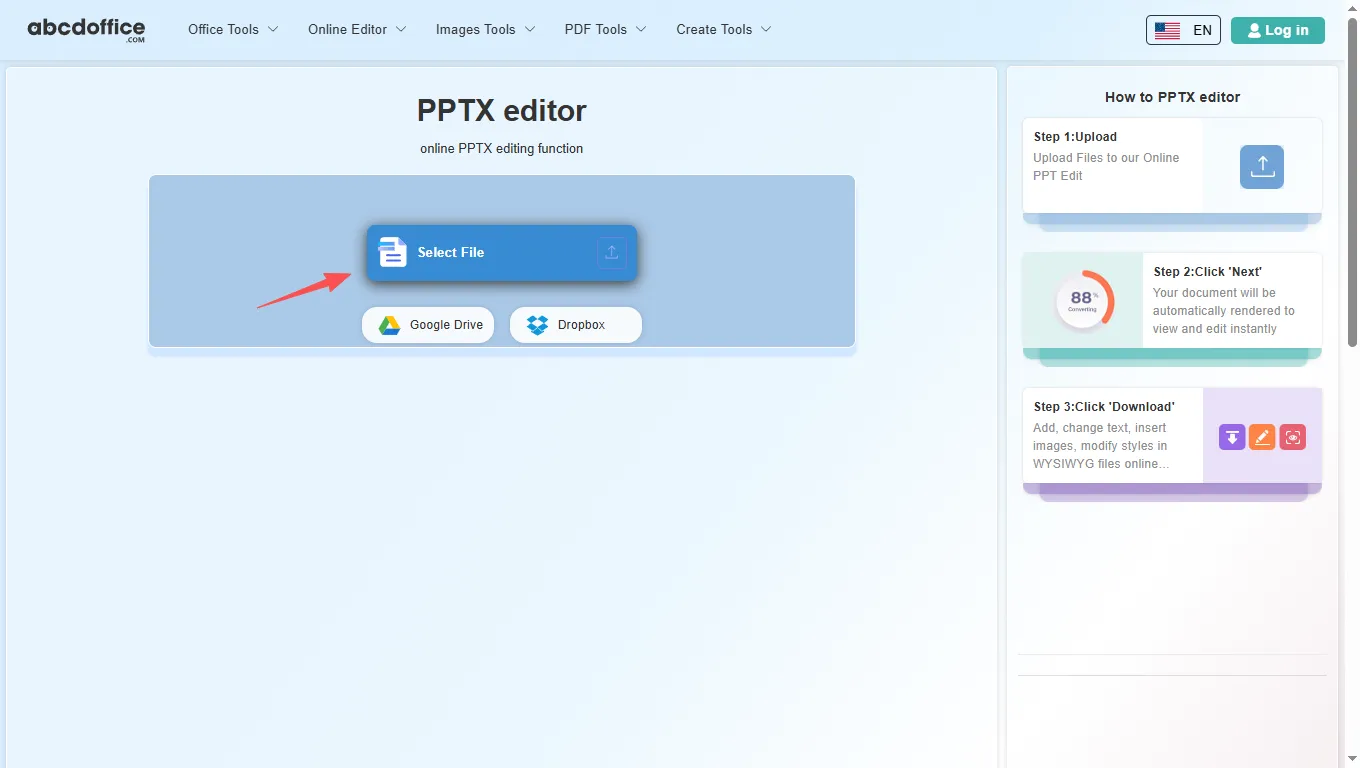
On the upload screen at abcdoffice.com/pptx-editor.html, click Select File or drag PPTX or PPT files into the upload area. Google Drive and Dropbox buttons appear below Select File on abcdoffice.com.
After upload, the pptx editor online opens on abcdoffice.com. Edit slide text, pictures, transitions, and animations from the ribbon.
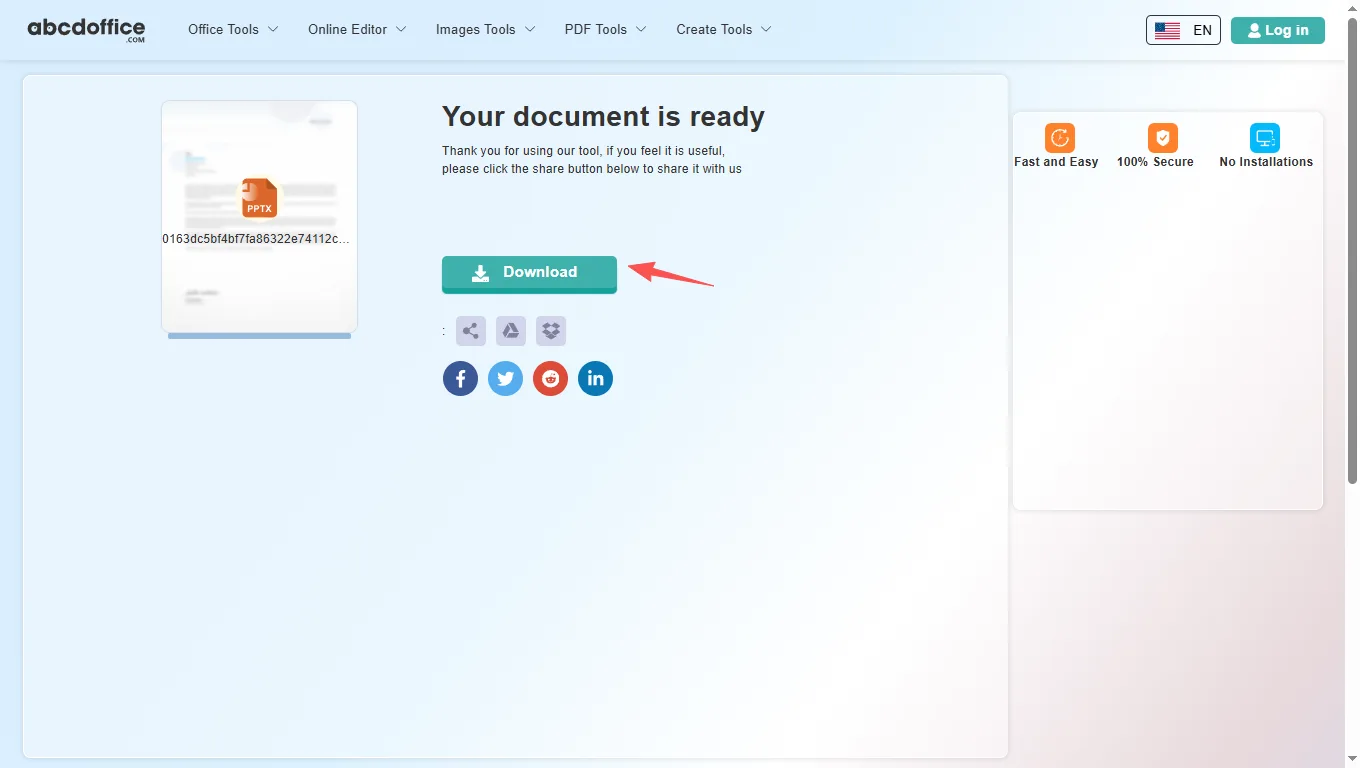
When processing finishes, abcdoffice.com shows a download screen. Click Download to save PPTX or PDF to your computer from this free online pptx editor.
The ABCD Office pptx editor online on abcdoffice.com is built on ONLYOFFICE Docs. After your file opens, use the ribbon tabs below — Home, Insert, Transitions, Animation, Collaboration, View, and Plugins — matching the tools shown when you edit pptx online.
The Home tab covers everyday slide editing in our pptx online editor — the same core formatting tools people reach for first in any pptx editor online.
Insert tab tools in this pptx editor let you add structure and visuals beyond plain text — useful for reports, pitches, and client deliverables on abcdoffice.com.
Apply professional slide transitions in the pptx editor online before you export to PPTX or PDF — fade, push, wipe, zoom, and more.
Animate text, shapes, and images on each slide in the online powerpoint editor — entrance effects with fine-tuned parameters.
Review team decks in the pptx editor online — co-edit, comment, and chat in the browser on abcdoffice.com.
Tune the presentation workspace — zoom level, rulers, gridlines, and panel visibility in the pptx online editor.
Extend the pptx editor online free with plugins — automation, AI help, translation, and media tools on abcdoffice.com.
How pptx-editor.html differs from ppt-editor.html, what slide decks need in the browser, and when edit pptx online beats installing PowerPoint.
Users frequently search by extension — “pptx editor”, “open pptx online”, “edit pptx file online”. pptx-editor.html aligns with that behavior. ppt-editor.html covers broader PowerPoint editor wording. After upload both use the same slide canvas; examples on this page stay PPTX-centric.
Modern .pptx decks and legacy .ppt files share one upload path. Keep PPTX when teammates must edit animations later. Export PDF when attendees only need read-only slides or printouts.
PDF to PowerPoint conversions often misplace images — open the resulting PPTX on pptx-editor.html to fix titles, bullets, and slide order before the meeting.
Sales swaps pricing slides an hour before a demo. Marketing updates speaker bios on a webinar deck. Teachers refresh quiz slides from last semester’s PPT. Founders rehearse with a pptx editor online session on a travel laptop. Each is a short edit pptx online task, not a full slide-master project.
Use ppt-editor.html when you market the tool as an online PowerPoint editor in general. Use pptx-editor.html when the attachment name or keyword already says .pptx. Microsoft PowerPoint desktop remains the choice for broadcast events, complex animations, and corporate template libraries.
Upload only the presentation needed for the edit on abcdoffice.com. Check the privacy policy before loading investor or board decks. The pptx editor online flow should return a polished PPTX or PDF — download, verify slides, and close the session when done.

See how the ABCD Office pptx editor online free workflow on abcdoffice.com compares to desktop PowerPoint on steps, install time, and time to first edit.
| Method | Typical steps | Install required | Time to edit |
|---|---|---|---|
| abcdoffice.com pptx editor online | 3–4 steps | None | ~1 minute |
| Microsoft PowerPoint (desktop) | 5–7 steps | Yes | Several minutes |
| PowerPoint for the web (365 login) | 4–6 steps | Account required | 2–5 minutes |
Guides for edit pptx online, open pptx online, and pptx editor free — all paths start at abcdoffice.com/pptx-editor.html.
Save the .pptx locally, then open abcdoffice.com/pptx-editor.html — tuned for PPTX-specific searches.
Upload a PPTX filepptx-editor.html targets .pptx files; ppt-editor.html is the broader PowerPoint editor landing page.
Upload a PPTX fileDrag slide thumbnails in the pptx editor to put pricing before the case study.
Upload a PPTX fileClick the chart, edit data labels and values, then save the refreshed presentation.
Upload a PPTX fileExport PPTX to PDF after edits so VCs see a fixed deck while you retain the editable PPTX.
Upload a PPTX fileConvert PDF to PPT, upload the PPTX to pptx-editor.html, and fix layout before the meeting.
Upload a PPTX filePPTX-focused answers for abcdoffice.com/pptx-editor.html — slide-deck editing tips and how this page differs from abcdoffice.com/ppt-editor.html.
PPTX is the modern PowerPoint presentation format (.pptx). abcdoffice.com/pptx-editor.html lets you upload .pptx or .ppt files, edit slides in the browser, and download PPTX or PDF without desktop PowerPoint.
abcdoffice.com/ppt-editor.html is the general PowerPoint editor page. abcdoffice.com/pptx-editor.html focuses on PPTX-specific searches — editing .pptx attachments, pitch decks, and files that already use the .pptx extension.
Save the .pptx from your email or chat app, then upload it to abcdoffice.com/pptx-editor.html. You can change slide text, images, and layout in the browser on shared or locked-down PCs.
Typical slide masters, text placeholders, pictures, and shapes in standard PPTX decks are supported for browser editing on abcdoffice.com. Complex VBA, embedded videos, or rare PowerPoint-only effects may need desktop PowerPoint after export.
Yes — convert with pdf-to-ppt.html, then refine slides on pptx-editor.html before presenting or exporting PDF.
The pptx editor on abcdoffice.com includes standard slide editing plus Transitions and Animation tabs for many decks, and View tools for notes where supported in ONLYOFFICE.
Presentations are processed for your editing session on abcdoffice.com. Confirm with legal or IT before uploading investor decks, board slides, or HR training files to any online pptx editor.
Use Save in the editor, pick PDF in the Save document as dialog, then download — ideal for read-only sharing while keeping an editable PPTX copy.
Upload a PPTX or PPT file at abcdoffice.com/pptx-editor.html — the free online pptx editor opens after upload, then Download when you are done.